Which CMS to choose – A comparison based on accessibility
Website accessibility is a key indicator of a company’s technological maturity. Complying with the WCAG guidelines is not only a sign of modernity and keeping up with changing user expectations and increasing online inclusivity, but it also upholds one of the most fundamental principles of the internet – connectivity. We want our audience to understand us well, and we should recognise their needs. This may seem obvious, but unfortunately it is still not being applied globally.
Being accessible also means adhering to modern standards.
This ensures that the site uses modern technologies, frameworks or libraries. It is designed with different resolutions in mind, as well as the needs of the user and their unique, often individual, requirements. Technology evolves like the world and our consciousness. We observe a wider spectrum of humanity, think about a wider audience and expand our user base.
What’s important is that we always think one step ahead and try to anticipate future changes, be proactive by mitigating future risks and invest wisely. It is simply smart to recycle and invest in better solutions. The software we choose, including the right CMS, can help us do this.

Accessible CMS leads to accessible websites.
If you’re considering a CMS change and your site is not WCAG compliant, or you want to ensure that the new tool supports accessibility not only now but also in the future, you’ve come to the right place.
We understand that choosing a CMS is often a big decision. There are many factors to consider, and sometimes it’s necessary to convince the right people in the organisation of your recommendations. Although there are many criteria to consider, in this article we’ll try to explore how selected enterprise-grade CMS options on the market can further support accessibility and what elements work in their favour.
Although accessibility standards such as WCAG apply regardless of the technology used, in the case of enterprise CMS, the advanced features of enterprise CMS can better support accessibility compared to traditional CMS solutions. It’s often said that accessible CMS means accessible websites.
Learn more about how we implement Enterprise-class CMS in our dedicated article.
What is an Enterprise CMS platform and what are its requirements?
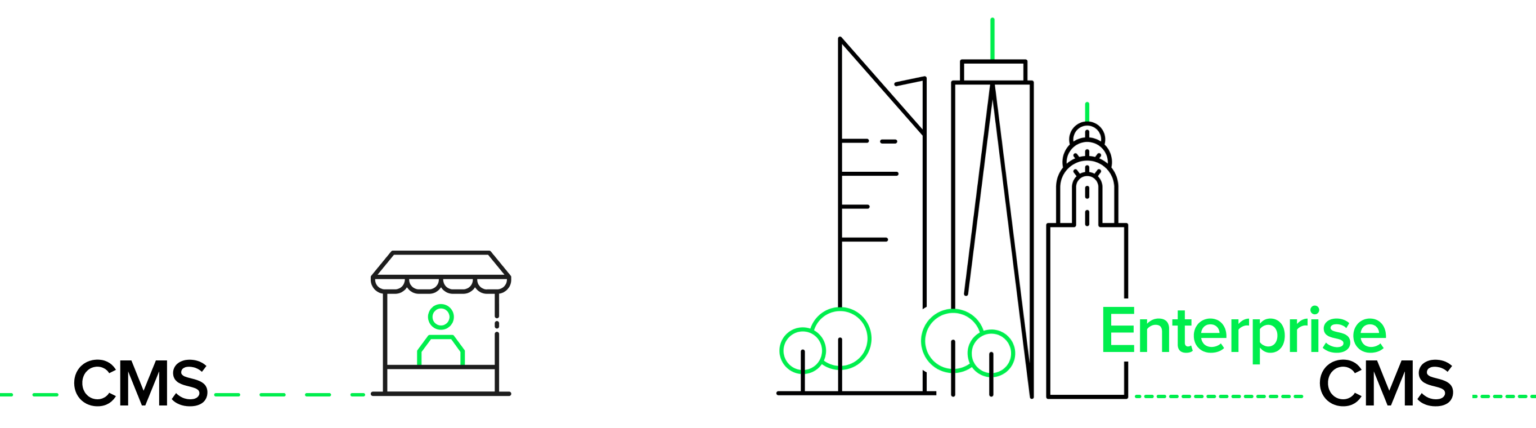
A CMS platform can be classified as an Enterprise CMS if it is designed for large-scale projects, managing large amounts of content, complex structures and multiple users. It should offer:
- Scalability
- Security
- Integration with other systems
- The ability to manage content at scale
- Content personalisation and segmentation
- Performance, version control, user and workflow management
- Technical support and compliance
From the perspective of accessibility legislation, this last point should be of particular interest. As companies are required to ensure that what users see (the front-end of the website) is fully WCAG compliant, accessibility on the back-end of the CMS is not always given the same attention.
Read more about how the EAA (European Accessibility Act) will impact business operations and what steps should be taken to effectively implement the new standards.
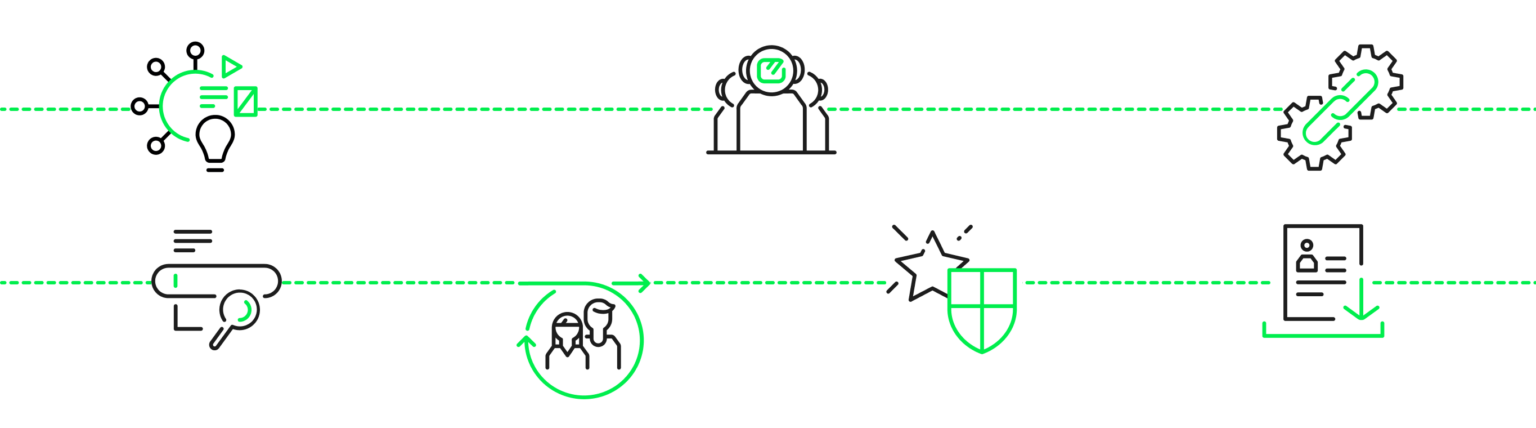
In terms of required functionality, an enterprise CMS solution should be able to:
- Manage large content libraries of different file types
- Structure resources according to different models used within the organisation
- Integrate with various systems such as PIM, DAM, ERP
- Provide advanced content search capabilities, such as filtering and tagging
- Allow multiple users to collaborate on the same documents
- Use permission structures to protect content and maintain data integrity
- Create an audit trail of user access and file changes
According to the “CMS Usage Distribution on the Entire Internet” report of 23 July 2024, the most popular CMS today is the open source WordPress, which holds approximately 42% of the total CMS market and remains the most popular platform even in the Enterprise category.
Learn more about complex CMS solutions in the article “Enterprise CMS – Who Is It For?”
Adapting quickly is the key to keeping up with changing requirements
In the world of e-commerce, change happens fast, and updating websites to comply with new regulations is often a challenge that keeps development teams up at night. The backlog is always full of maintenance tasks and change is part of the daily routine.
Difficulties in tracking and publishing necessary content can cause your website to fall behind user expectations, regulatory requirements or changing trends. An enterprise CMS platform can help you overcome these obstacles, ensuring freshness, timeliness and accessibility while strengthening your online presence.
Today’s consumers expect engaging, personalised content delivered through their preferred communication channels. To meet this demand, organisations need to be able to harness rich content and present it in a compelling way. Enterprise CMS platforms are designed to solve this problem by streamlining the process of finding, modifying and publishing the right content at the right time. With the right Enterprise CMS platform working behind the scenes, your website can become a conversion machine that delivers a high return on investment and supports your growth.
Accessibility is like fertile soil in which a more abundant crop can grow – a more accessible website is often a more useful website for everyone, leading to a better overall user experience.
In other words, it’s not just about people with disabilities. It’s about making sure that the widest possible range of users in different situations can use your site freely and comfortably.
How the choice of CMS impacts accessibility and adherence to its guidelines
The interface of your website plays a crucial role in accessibility, as this is where users directly interact with your services and products. The most important elements are:
- Content structure and organization: It should be easy to navigate and comprehend for screen readers or other assistive devices.
- Content organization in the admin panel: It should require specific attributes for content, links, images, headers (e.g., adding alt text), and prompt or remind users to fill in key fields that will later be easy to read for assistive technologies on the front-end.
- Semantic HTML code: Using the appropriate HTML elements to mark up content (for example, using <button> for buttons and <nav> for navigation sections) helps assistive technologies interpret and understand the page’s content and structure.
- Support for dynamic content: If you use JavaScript to generate dynamic content, the CMS should support assistive technologies such as screen readers. This means that dynamically changing page elements must be properly marked and communicated to assistive technologies, allowing users with disabilities to easily understand and navigate the content. While this is a requirement for the front-end, the back-end should allow content creators to add appropriate accessibility markers or metadata, which are later used by the front-end to correctly render dynamic content in an accessible way.
- Multimedia accessibility: It is also important that the CMS allows captions to be added to videos and other multimedia content, and transcripts to be added to audio files, to ensure that this type of content is accessible to all users.
Read more: Practical methods for testing accessibility and tools to help ensure your website meets the requirements and is user-friendly for everyone.

Evaluation criteria
What evaluation criteria to use and what to consider when choosing a CMS from an accessibility perspective
There are several important factors to consider when choosing a CMS system:
1. Compliance with WCAG standards as stated by the CMS provider
The provider’s website should indicate whether the CMS supports accessibility and at what level (preferably AA or higher). It’s worth checking how well the system meets the accessibility needs of users with different types of disabilities.
2. Built-in accessibility toolsci
This could include features such as automatic content validation against the WCAG standards. It’s also worth checking if the system makes it easy to add alternative text, transcripts, ARIA labels, etc.
Learn more about WCAG (Web Content Accessibility Guidelines) requirements.
3. Technical support and regular updates
Is the CMS regularly updated to ensure compliance with the latest accessibility standards? Does the CMS provider offer dedicated accessibility support, such as consultations or technical assistance?
4. Integration with external accessibility tools
Does the CMS integrate easily with external accessibility analysis tools (e.g. Axe, Lighthouse)?
Does the CMS have available extensions or modules that extend its functionality in terms of accessibility?
5. Documentation and training resources
Does the CMS provide detailed documentation on accessibility and best practices? Are there training courses, webinars or educational resources available to help teams better understand and implement accessibility principles?
6. Success stories and large-scale implementations reflected in references and case studies
Are there examples of complex CMS implementations that have achieved high levels of accessibility?
Experiences of other companies: What are the views of other companies or organisations that have implemented the CMS with accessibility in mind?
7. Future support for accessibility and advanced features
Does the CMS platform provider have plans to develop accessibility features to keep pace with technological and regulatory changes?
How well does the CMS adapt to new standards and accessibility guidelines?

For the purposes of this article, we have selected the following enterprise content management systems for comparison:
We compare popular CMS systems to help you choose the most suitable solution for your company’s needs.
Enterprise CMS Comparison:
Compliance & Accessibility Tools
| WCAG compliance declared by the CMS provider | Does the CMS have built-in accessibility tools? | Technical support and regular updates | |
|---|---|---|---|
| Magnolia | Partially compliant with WCAG 2.1 Level AA. Supports some accessibility features. | Offers partial accessibility tools, such as simple checks and minor improvements. | Regular updates focused on improving compliance with standards, but support may vary. |
| Adobe Experience Manager (AEM) | Strong support for WCAG 2.1 Level AA. Regular updates and accessibility improvements. | Provides robust built-in testing tools for WCAG compliance. | Excellent support and frequent updates to ensure accessibility. |
| Sitecore | Good support for WCAG 2.1 Level AA. Integrates accessibility best practices and supports multiple languages. | Offers some built-in accessibility features, though third-party tools may still be required. | Good support and regular updates, though some users report inconsistent support for accessibility features. |
| Drupal | Excellent compliance with WCAG 2.1 Level AA. Has a dedicated accessibility community and multiple accessibility modules. | Extensive built-in accessibility tools, including ARIA, semantic HTML, and keyboard navigation improvements. | Strong community support and frequent updates focused on improving accessibility compliance. |
| Kentico | Supports WCAG 2.1 Level AA but requires diligent setup and manual configuration. | Includes basic accessibility tools but relies on external tools for full compliance verification. | Provides support and updates, but the level of support varies depending on the level of the subscription and integration with external tools. |
| Optimizly (Episerver) | Good support for WCAG 2.1 Level AA, although some customizations may be necessary. | Offers some built-in tools, but often requires external solutions for advanced features. | Regular updates and good support, although some users have reported challenges with accessibility customization. |
| WordPress Multisite | Varies. The core supports WCAG 2.1 Level AA, but many themes and plugins may not fully comply. | Basic accessibility features in the core, but most features depend on external plugins and customizations. | Regular updates, but support for accessibility depends heavily on the chosen theme and plugins. |
Enterprise CMS Comparison:
Integration, Documentation & Future-Proof Support
| Integration with external accessibility tools | Documentation and educational resources | Success stories and large-scale deployments reflected in references and case studies | Future accessibility support | |
|---|---|---|---|---|
| Magnolia | Well integrated with tools such as WAVE and Lighthouse. | Provides accessibility documentation, though less extensive than others. | Used by enterprises focusing on improving accessibility, but lacking in-depth resources for large-scale implementation. | Commitment to improving accessibility, but no clear roadmap. |
| Adobe Experience Manager (AEM) | Offers strong integration with a variety of external accessibility tools, including Axe and Lighthouse. | Extensive documentation and resources, including webinars and tutorials on accessibility best practices. | Frequently used in large enterprises, with successful large-scale implementations and strong accessibility focus in case studies. | Strong focus on future accessibility solutions and keeping up with the latest changes in standards. |
| Sitecore | Supports integration with multiple external accessibility tools. | Provides solid documentation focused on best practices for implementing accessibility within Sitecore. | Widely used in large enterprises, though not as many high-profile case studies focusing on accessibility. | Continues to prioritize accessibility, with plans for additional improvements in future updates. |
| Drupal | Easily integrates with many accessibility tools, including WAVE and Axe. | Excellent documentation, with a wealth of resources and case studies available to the community. | Known for large-scale deployments with a strong emphasis on accessibility and inclusivity in the open-source community. | Very responsive to changes in accessibility standards and technology trends, continuously improving features. |
| Kentico | Can integrate with third-party accessibility tools, though setup may require additional work. | Provides documentation on accessibility, though not as extensive as other platforms. | Used in corporate environments, though many users rely on third-party developers for accessibility support. | Committed to maintaining accessibility, though future improvements may be dependent on user demand and third-party development. |
| Optimizly (Episerver) | Supports integration with third-party tools such as Axe and Lighthouse. | Good documentation, though resources specific to accessibility are more limited compared to other platforms. | Used in enterprises, although less commonly chosen primarily for accessibility-focused projects. | Focus on adapting to future needs, with a growing emphasis on accessibility in newer updates. |
| WordPress Multisite | Supports a wide range of plugins and third-party tools to enhance accessibility. | Extensive documentation and community resources, but accessibility-specific materials are often community-driven. | Widely used in large-scale deployments, with numerous examples of successful accessibility-focused projects. | Continuous improvement in accessibility, driven by the large and active community. |
How do the selected Content Management Systems compare in these categories?
All of these features are more important when we are talking about monolithic architecture, and they have less impact on your CMS when implemented in a headless manner. In the case of headless solutions, it is more important to have an IT partner responsible for the implementation of the CMS who will take care of the accessibility for the end users.
Data sources in the table
Drupal Accessibility >
Adobe Experience Manager (AEM) Accessibility >
Sitecore Accessibility >
Magnolia Accessibility >
Kentico Accessibility >
Optimizely (Episerver) Accessibility >
WordPress Accessibility >
Author
Agata Kuich – IT Business Partner
With over 13 years of industry experience, Agata began her career in communications consulting and PR, and has been involved in digital since 2015. She has been with SYZYGY Warsaw since 2018, serving as an IT Business Partner. Throughout this time, she has collaborated with renowned clients such as Nutricia, Żabka, Danwood, Kyocera, and currently Lufthansa Group. She focuses on building teams for complex projects and strategies centered on delivering value. Her approach combines the ability to build business awareness within teams with a deep understanding of client needs. Agata aims to create teams that support individual development and foster an environment where everyone can leverage their strengths. She also served as a mentor in last year’s Dare IT program in the Project Management path, driven by her strong belief in equality and accessibility in technology.


Does Your CMS Support Accessibility?
Wondering if your current CMS meets accessibility requirements? Contact us to learn how CMS platforms can help you achieve full WCAG compliance and improve your website’s usability for all users. Leave us your email, and we’ll get back to you within 24 hours for a consultation.